Category: Grow Your Business

  • The Power of Backlinks in Local SEO

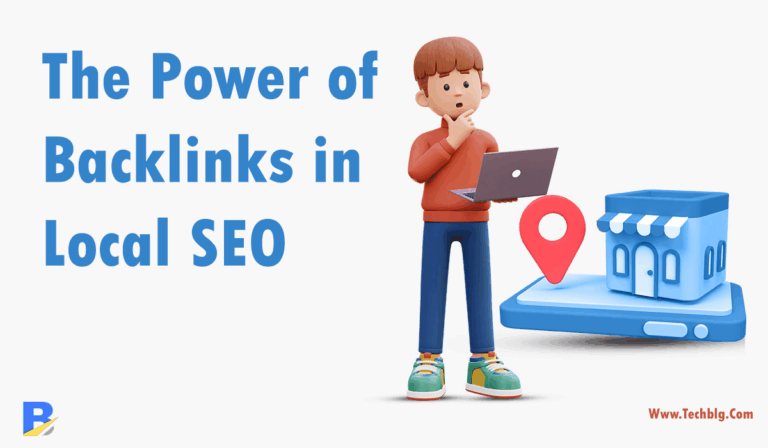
    The Power of Backlinks in Local SEO

    In the ever-competitive world of local search engine optimization (Local SEO), backlinks play a vital role. Whether you’re a local restaurant owner, a marketing agency, or a solo entrepreneur, getting your business to appear in local search results on Google depends significantly on your backlink profile.

    But what exactly are backlinks, why do they matter so much in Local SEO, and how can you build them efficiently without burning your budget or time?

    In this article, we’ll dive deep into:

    ✅ The different types of backlinks
    
    ✅ Why they’re essential for Local SEO
    
    ✅ How to invest wisely in backlinks (including Fiverr services you can trust)
    What Are Backlinks and Why Are They Crucial in Local SEO?

    Backlinks (also known as inbound links) are links from one website to another. For local businesses, Google considers these as “votes of confidence” helping your site appear more credible and authoritative.

    • Improves local pack rankings (Google Maps 3-pack)
    • ✅ Increases your domain authority
    • ✅ Drives referral traffic from niche directories and local blogs
    • ✅ Builds trust signals with search engines

    According to Moz, link signals are one of the top-ranking factors in local organic search and local pack rankings.


    Local Citations & Directories

    These are backlinks from trusted local directories like Yelp, Yellow Pages, TripAdvisor, or niche-specific listings.

    💡 Pro tip: Make sure NAP (Name, Address, Phone) is consistent across all listings.

    Geo-Targeted Blog Mentions

    Getting featured in blogs based in your city or region is a high-impact strategy. These not only build backlinks but also geo-relevance.

    These are links from websites within your business niche. For example, a backlink from a local marketing agency blog if you’re a printing shop.

    Press Releases and Local News Coverage

    Being featured in local media or issuing press releases through PR platforms gives you backlinks and builds reputation.

    Guest Posting on Local or Niche Sites

    Writing value-rich content on other blogs with a link back to your business site can improve SEO while increasing visibility.


    Building backlinks organically can take months. Fortunately, platforms like Fiverr offer reliable, budget-friendly services that help speed up the process if you know what to look for.

    Top Fiverr Backlink Services

    1. Local Citation Building

    2. Niche Relevant Guest Posts

    4. Press Release Distribution

    🚨 Make sure to review each seller’s ratings, past reviews, and ask for samples before ordering.


    • ✔️ Always focus on quality over quantity
    • ✔️ Make sure links are do-follow when possible
    • ✔️ Stay away from spammy link farms
    • ✔️ Diversify your backlink sources
    • ✔️ Track your ranking improvements with tools like Ahrefs or Ubersuggest

    Backlinks are non-negotiable if you’re serious about ranking higher on Google and getting more local customers. While doing it all manually is possible, platforms like Fiverr allow you to get professional link-building done faster and affordably.

    Start by building strong local citations, follow up with guest posts and geo-targeted backlinks, and you’ll soon see your local rankings improve without spending a fortune.


    Ready to Take Action?

    Browse hand-picked Local SEO Backlink Services on Fiverr »

  • The Best Training Software for Businesses

    The Best Training Software for Businesses

    The Best Training Software for Businesses

    Introduction

    The right training software can streamline this process, offering powerful tools to create, manage, and track employee training programs. When businesses seek to improve productivity, compliance, and employee skills, leveraging online course platforms is an excellent way to deliver consistent, scalable training.

    In this article, we explore the top five training software solutions, breaking down their key features, pricing, and pros and cons. Whether you’re running a small business or managing a large workforce, finding the right tool can make a difference in how you manage learning and development across the organization. As part of our detailed analysis, we will also look into the most common questions about online course platforms that you might be searching for.


    What to Look for in Training Software

    Before diving into the specific tools, it’s important to know what to look for in training software. Some key features include:

    • Customizable learning paths: Enables personalized learning experiences.
    • Progress tracking: Allows management to monitor how employees are progressing through training.
    • Assessment tools: Includes quizzes, certifications, and exams to test knowledge.
    • Integration with other business tools: Seamlessly works with your HR or project management systems.
    • Mobile accessibility: Provides training on the go, especially for remote workers.

    Now, let’s look at the top online course platforms that dominate the market.

    1. TalentLMS

    TalentLMS is a cloud-based learning management system (LMS) designed to deliver online training with ease. Its intuitive design makes it accessible for both small businesses and large enterprises. The software is well-suited for industries like education, healthcare, and corporate training, offering a range of features to support all types of learners.

    Features:

    • Customizable training modules: Create branded training content with logos, colors, and themes.
    • Course marketplace: Access a library of pre-made courses.
    • Automated notifications: Keep learners engaged with reminders and deadlines.
    • Mobile apps: Support for mobile learning for remote employees.

    Pricing:

    • Free plan for up to 5 users.
    • Starter plan starts at $59/month for 40 users.
    • Premium plans offer extended features.

    Pros & Cons Table:

    ProsCons
    Intuitive interfaceLimited customization in lower-tier plans
    Supports multimedia contentFree plan limited to 5 users
    Strong reporting and analyticsPaid plans required for advanced features
    Large course marketplaceSupport can be slow during high traffic times

    2. Adobe Captivate Prime

    As part of Adobe’s suite of tools, Adobe Captivate Prime is a robust LMS known for its comprehensive training capabilities. It’s ideal for organizations looking for a platform that can deliver blended learning and certification programs.

    Features:

    • Multi-format content: Supports video, audio, PDFs, and interactive elements.
    • Learning paths: Set up guided paths for learners based on job roles.
    • Built-in compliance tracking: Keep track of regulatory training requirements.
    • Gamification: Use leaderboards, badges, and points to motivate learners.

    Pricing:

    • Pricing starts at $4 per user per month for businesses with over 100 users.
    • Enterprise pricing is available for larger organizations.

    Pros & Cons Table:

    ProsCons
    Integration with other Adobe tools Higher price point for small businesses
    Strong support for blended learning Steep learning curve for beginners
    Excellent mobile app support Limited customization options in lower plans
    Advanced compliance tracking No free plan available

    3. Docebo

    Docebo is an AI-powered learning management system that provides a highly personalized training experience. With a focus on scalability and ease of use, Docebo offers training software tailored for a wide variety of industries.

    Features:

    • AI-powered course recommendations: Learners receive content suggestions based on behavior.
    • Gamification elements: Add game mechanics to training for engagement.
    • Extended enterprise support: Manage training for partners and customers.
    • Third-party integration: Seamless integration with CRM and other business tools.

    Pricing:

    • Pricing starts at $370/month for up to 100 active users.
    • Custom pricing available for larger businesses.

    Pros & Cons Table:

    ProsCons
    AI-powered learning experienceHigher starting price than competitors
    Highly customizable learning pathsLimited flexibility in free trials
    Mobile-friendly interfaceAdd-ons can increase the overall cost
    Excellent customer supportComplex setup process for beginners

    4. Absorb LMS

    Absorb LMS is a flexible platform that serves both small and large enterprises. It’s known for its user-friendly interface, advanced analytics, and scalability, making it a great choice for companies looking for a long-term training solution.

    Features:

    • Engagement tools: Includes quizzes, certifications, and badges.
    • Instructor-led training support: Allows for blended learning.
    • Advanced reporting: Gain insight into learner progress and content efficacy.
    • Mobile compatibility: Supports learning on any device.

    Pricing:

    • Pricing starts at $800/month for small businesses with fewer than 50 learners.
    • Custom pricing for larger enterprises is available.

    Pros & Cons Table:

    ProsCons
    Easy-to-use interfaceHigh starting price for small teams
    Comprehensive reporting toolsNo free plan available
    Great for blended learningCustomer support can be inconsistent
    Mobile-friendly designLimited integrations with third-party apps

    5. SAP Litmos

    SAP Litmos is a well-known name in the corporate training world, providing an LMS that caters to both internal employees and external partners. It offers a wide range of features that make it suitable for large enterprises but accessible enough for small to medium-sized businesses.

    Features:

    • Interactive content: Supports a wide variety of content types including videos, PDFs, and SCORM files.
    • Customizable learning paths: Create individualized training programs for specific roles or departments.
    • Security and compliance tools: Ensure your organization meets legal training requirements.
    • Integration with SAP: Easily integrates with SAP business management tools.

    Pricing:

    • Pricing starts at $6 per user per month for up to 500 users.
    • Custom pricing available for larger enterprises.

    Pros & Cons Table:

    ProsCons
    Strong SAP integrationPricing is on the higher side
    Advanced compliance managementLimited flexibility for smaller teams
    Easy-to-use interfaceLacks some advanced reporting features
    Great mobile supportNo free plan

    How to Choose the Best Online Course Platforms

    Selecting the best online course platform depends on the needs of your business. Smaller businesses may prioritize affordability and ease of use, while larger organizations might need more comprehensive compliance and reporting tools. Consider the following when choosing the right platform:

    • Budget: Does the pricing model align with your budget? Do you need additional features, and how much will they cost?
    • Scalability: Can the platform grow with your business?
    • Integration: Does it integrate well with your existing tools like HR software, project management systems, or CRMs?
    • User Experience: How easy is it for both administrators and learners to use?

    Conclusion

    Choosing the right training software is essential for businesses looking to provide consistent, scalable, and effective learning experiences. From small businesses looking for affordable, user-friendly options to large corporations that need advanced compliance tracking and reporting, the five tools we’ve covered can meet a range of needs.